
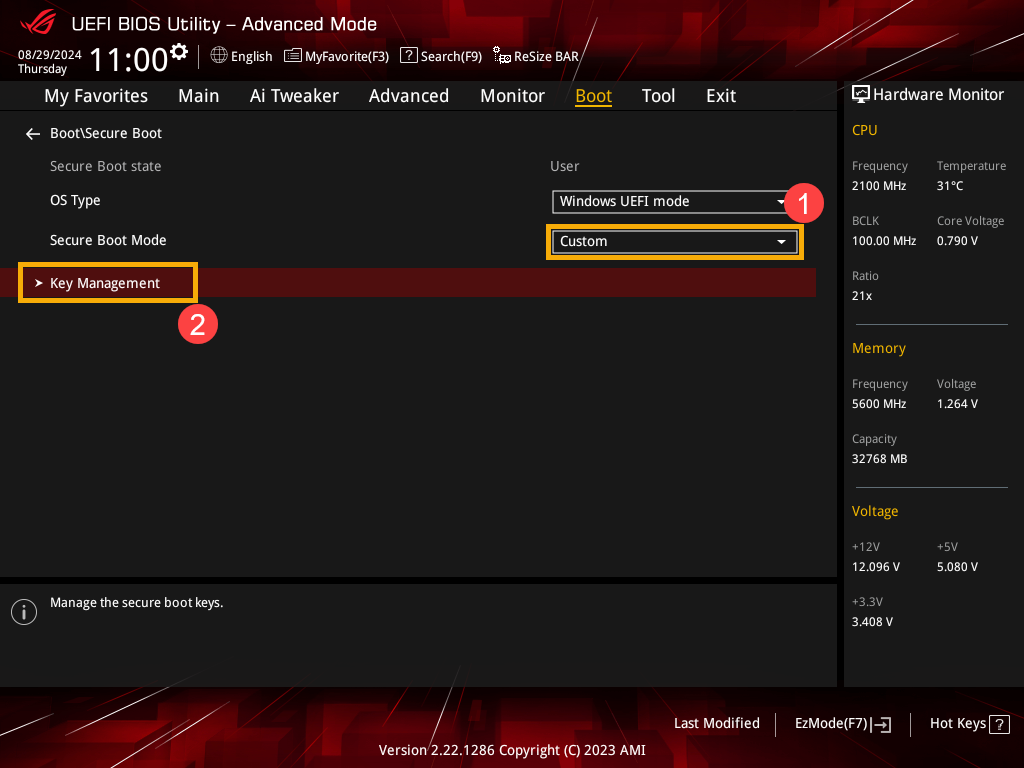
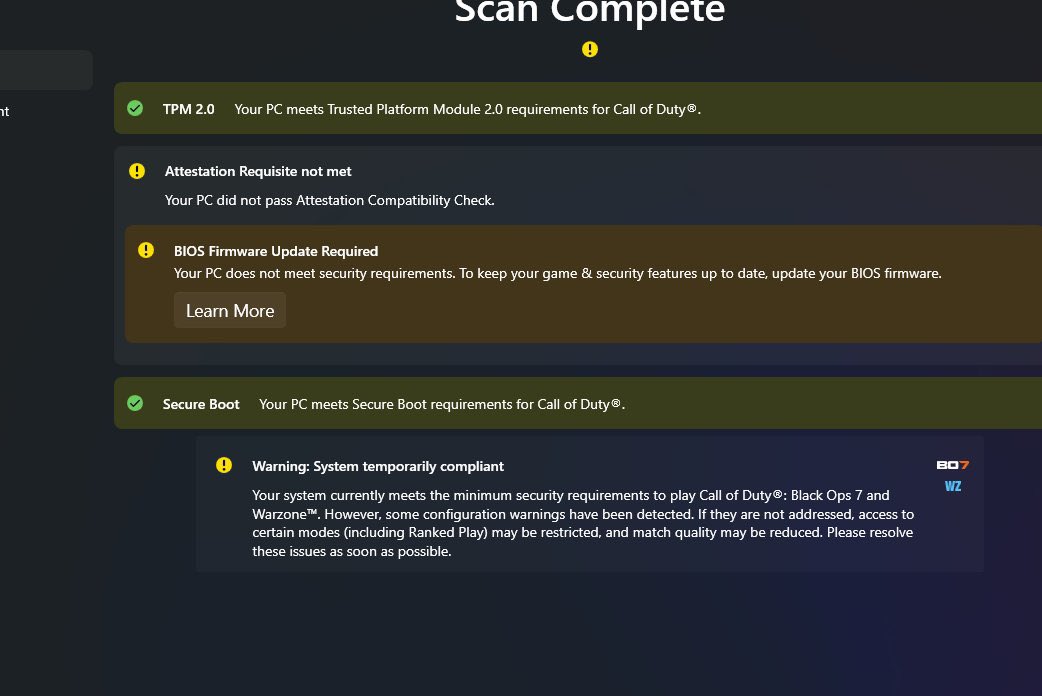
Before you begin: Changing UEFI, Secure Boot, keys, TPM or the Windows boot partition can trigger recovery or make Windows unbootable. SJK can review the current state and plan the safest next step; it cannot guarantee firmware compatibility or bypass anti-cheat requirements.
Identify the exact game and warning
Take a photo of the full error message. Note whether it says TPM 2.0 not enabled, Secure Boot Off, failed attestation, UEFI/Legacy, GPT/MBR, or TCG Event Log failure. Those are different conditions.
Read your Secure Boot status in Windows
Press Windows + R, enter msinfo32, and find BIOS Mode and Secure Boot State. The desired readings are UEFI and On. A message of “Unsupported” needs a hardware and firmware review, not an assumed one-click fix.
Check TPM 2.0, Windows version and partition style
Press Windows + R, enter tpm.msc, and check that the TPM is ready with Specification Version 2.0. Use winver to check Windows. Activision lists Windows 10 version 22H2 or later, or Windows 11. For GPT, open Disk Management, inspect the Windows disk’s Properties → Volumes → Partition style. Do not change it yet.
Protect your ability to boot before any firmware change
Back up important files and confirm access to your BitLocker recovery key. Legacy/CSM-to-UEFI changes on an MBR Windows installation can prevent it from starting. Do not clear the TPM, delete Secure Boot keys, format a disk, or change CSM based on a generic screenshot.
Use Activision’s official security check
Go to Activision’s TPM / Secure Boot help article and download the official Call of Duty Secure Attestation Wizard linked there. As of November 2026 Activision lists version 1.3.0. It can identify whether a BIOS firmware update or configuration correction is needed.
When Windows says everything is enabled but COD still refuses to launch
Record the wizard’s findings and motherboard model. Activision notes that BIOS firmware and Windows updates can affect attestation. Follow the exact motherboard manufacturer’s instructions, and verify any requested CODBrokerInstaller.exe or enrollaik.exe UAC prompt belongs to the real game before approving it. If unsure, stop and ask for help.
Frequently asked questions
Does Call of Duty require TPM 2.0 and Secure Boot?
Activision currently lists TPM 2.0 and Secure Boot as requirements for Black Ops 7, Warzone, and Modern Warfare 4, with access restrictions depending on the game mode. Check the official requirements for the exact title you use.
Why does Secure Boot say On in BIOS but Off in msinfo32?
A firmware toggle alone may not establish a valid UEFI Secure Boot state. Boot mode, disk layout, firmware keys and manufacturer configuration can matter. Do not clear or reset keys based only on an online shortcut.
Should I disable Secure Boot or clear my TPM to make the game run?
No. That does not resolve a game that requires them and can harm system security or trigger BitLocker recovery. Check the official attestation result and protect your data first.
Official documentation
Game-specific requirements and security policies can change. These publisher and manufacturer sources take precedence over this general guide.
- Activision — TPM 2.0, Secure Boot and Attestation Wizard ↗
- Microsoft — Secure Boot check and recovery precautions ↗
REAL HELP / NO GUESSWORK
Still stuck? Get the error in front of an SJK technician.
Tell us the game, launcher, error message and motherboard model. We confirm eligibility, session scope and pricing before paid work. SJK is an independent support provider, not affiliated with Activision.