
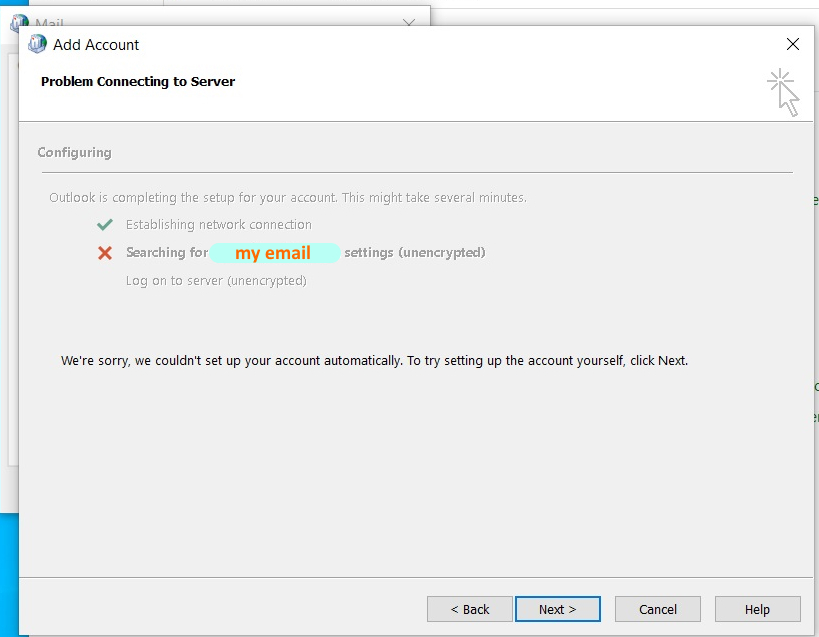
The inbox is still open, but email won't send. Or the login page never loads at all. Across the workday Thursday, Microsoft 365 users experienced exactly that kind of failure—and for many, the problem was not their computer.
Microsoft acknowledged a service-degradation incident involving Exchange Online mailbox connections, tracked as EX1550543. The disruption affected various methods of connecting to mailboxes; related Microsoft 365 services were also reported to have problems. Impact differs between users and regions. Check Microsoft's service status before attempting device repairs.
At our November 12, 2026, 3:45 PM Central reporting check, Microsoft was investigating infrastructure-related connectivity failures. This article is a time-stamped report. The incident may resolve after publication. Microsoft 365 administrators should consult Health → Service health for tenant-specific status.
THE OUTAGE, AT A GLANCE
- What
- Exchange Online mailbox connection disruption
- Microsoft incident
- EX1550543
- Date
- Thursday, November 12, 2026
- Scope
- Microsoft 365 business and enterprise users, principally across the Americas
- Cause
- Infrastructure servers failed automated health checks; investigation ongoing at publication
- Live status
- Check the current Microsoft status page ↗
Why Microsoft 365 email stopped working
Microsoft's updates indicated that servers handling Exchange Online access were failing automated health checks and becoming unavailable, creating elevated load elsewhere. The company reported efforts to rebalance connection traffic and return affected servers to service. The full underlying cause had not been established in the updates reviewed for this report.
Reporting by Associated Press and WIRED described broader disruptions including Teams. These reports do not mean every Microsoft product or every mailbox was unavailable.
Does this explain outlook.live.com failing?
Not automatically. Outlook.com consumer mail and Exchange Online business/enterprise mail are different services. Incident EX1550543 specifically documents Exchange Online. If a consumer browser fails to reach outlook.live.com, check the exact error and Microsoft's current public service status before assigning the same root cause.
A browser error such as DNS_PROBE_FINISHED_NXDOMAIN points to a different diagnostic path than a mailbox timing out during a confirmed Exchange Online service event. One failing device, a VPN route, a DNS resolver, or a browser extension can also create symptoms that resemble an outage.
The five-minute outage checklist
- Verify the service incident. Business administrators should check Microsoft 365 Service Health and the incident number EX1550543. Consumers should use the public Microsoft service status page.
- Try one other connection method. Compare a browser against an already configured Outlook desktop or mobile app. Multiple methods may fail during this incident, so this is a scope test, not a guaranteed workaround.
- Write down the exact error. “Disconnected,” “Need Password,” certificate errors and name-resolution failures are different clues. Capture the time and screenshot if safe.
- Preserve unsent work. Copy urgent email text into a local document and confirm delivery independently. Clicking Send does not prove the message arrived.
- Use a trusted backup channel. Contact customers by phone or a business-approved alternative. Don't transfer confidential data into an unapproved personal mailbox just to work around an outage.
✓ DO THIS
- Check Microsoft service health
- Record the exact error and time
- Try an already-configured mail client
- Protect unsent customer messages
× NOT THIS
- Delete Outlook profiles or local mail
- Reinstall Office mid-outage
- Reset the PC or router blindly
- Disable security tools without evidence
DON'T RESET A HEALTHY COMPUTER TO FIX MICROSOFT'S SERVERS.
Don't delete your Outlook profile, remove PST/OST files, reinstall Office, clear all saved credentials or reset Windows simply because Microsoft's service is down. These steps cannot restore unavailable cloud infrastructure and can create separate data or configuration problems.
How to tell the difference between Microsoft being down and your PC being broken
Everyone at the office is affected
Inspect tenant-wide service health first. A company network or identity provider issue can also cause broad failures, so avoid jumping to conclusions based only on the number of affected users.
Only one computer has the problem
Once service health has recovered, compare web access, device connectivity, proxy or VPN behavior, time synchronization and legitimate authentication prompts. Protect local-only data before making mail-profile changes.
Outlook says “Disconnected” or “Need Password”
These are symptoms, not diagnoses. Confirm that Work Offline was not selected, review the precise sign-in prompt and determine whether the same mailbox works by another supported method. Never provide MFA codes to someone who calls unsolicited.
Webmail works but desktop Outlook fails
That suggests a possible local app, profile or account-configuration issue, especially after the provider marks the service healthy. Follow a targeted troubleshooting sequence instead of reinstalling everything. See SJK's free Outlook connection guide.
The actual cost of an outage is the work nobody sees
Small businesses depend on email for estimates, appointment confirmations, invoices and approvals. An outage doesn't just interrupt messages; it obscures whether a request was received, whether a client replied and whether a crucial document was delivered.
For the next outage, have a named person monitoring service health, a trusted alternate contact method, and a post-recovery checklist for Outbox, Drafts, missed requests and payment notifications. Recovery isn't complete until the messages that stalled have been accounted for.
What to do when service returns
Reopen your mail app, allow synchronization, verify the Outbox and Sent Items, and confirm critical deliveries with recipients. If one device remains unable to connect after the relevant incident is resolved, perform local Outlook diagnostics rather than assuming the outage is still active.
Check provider status first; preserve customer communications second; repair the device only when evidence points to a device-level fault. This is the difference between troubleshooting and making a bad day worse.
Still stuck? Talk to an actual technician.
SJK Creative & Tech supports Outlook, Microsoft 365 and Windows issues remotely nationwide, and small-business IT in Dallas–Fort Worth. We confirm scope and price before paid work. We cannot speed up Microsoft's infrastructure recovery or guarantee a bypass during an active outage.
Request support or call (214) 444-7803 if email isn't available.
Independent SJK editorial analysis based on Microsoft's incident EX1550543, official status updates, and contemporaneous reporting by AP and WIRED. This is not an automatically updated incident tracker; check the latest provider status.